
Sources: what Twin writes from
Sources are the material Twin reads before it writes anything, and this article shows where they live, how to add them and how to steer what Twin does with them.
What earlier versions of Twin called files are now called sources. A source belongs to the project, not to one document, so every document in the project reads the same set.
Where sources live
Open the project and scroll to the Files section. It holds the project plan card, the documents and the sources together in one grid, with a card per source showing its name and description, a Search files box and an Add button.
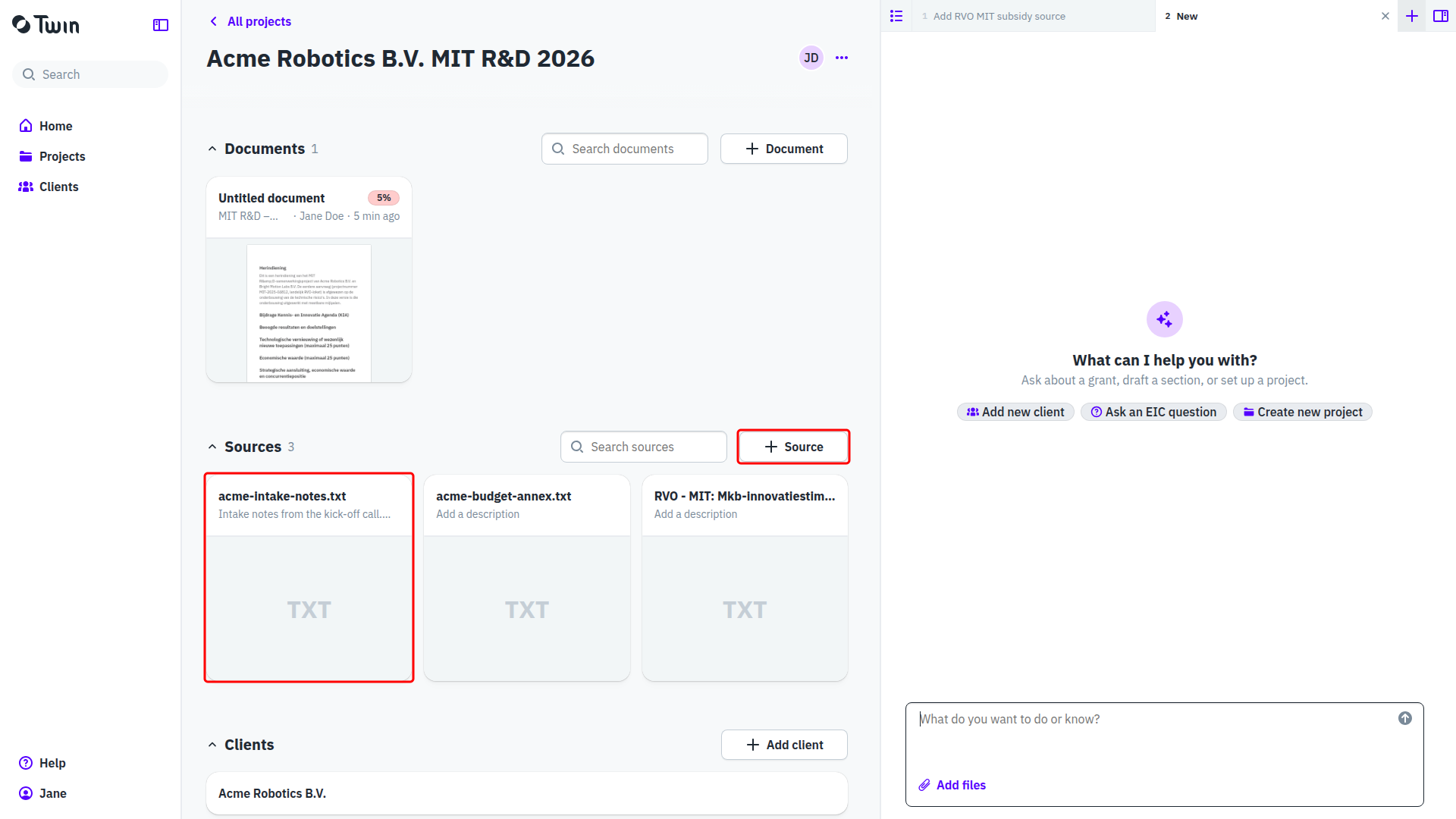
Three ways to add one
- On the project page, click Add and choose Upload file to pick one or more files, or drag files onto the page and drop them. New note in the same menu creates a source you write yourself.
- In step 2 of the new-project wizard, where Twin asks for the call text, your intake notes or an earlier application.
- In the assistant, through Add files under the message box. What you attach becomes a source on the project, and a page the assistant read on the web can be saved here too.
A note is a source like any other. Add > New note opens a full-page editor with a title, the field Describe what this source is, and how Twin should use it, and the text itself. Its three-dot Source actions menu holds Export to Word and Delete source.
Tell Twin how to use a source
Click a card to open the source. The Description field is where you say what the source is and how Twin should use it, for example that a document is last year's rejected application and should only be used for the budget. Twin reads the description alongside the source itself. There is no save button: the description is stored as soon as you click outside the field.
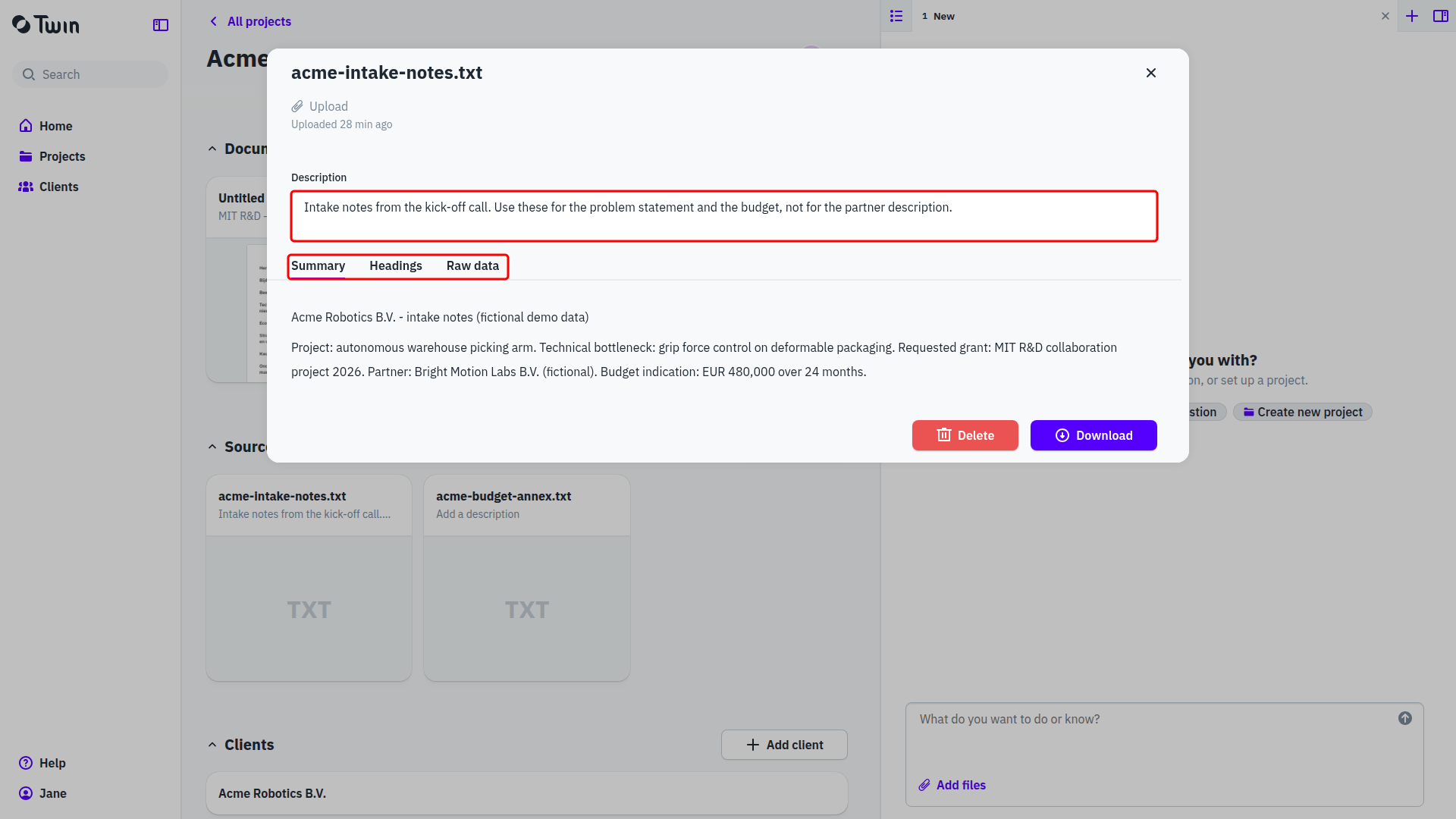
Under the name, a label says where the source came from: Upload for a file you added, URL for a page from the web (with a link to the original), and Text for text the assistant saved.
The tabs show what Twin made of the source. Summary is the short version it works from, Headings is the structure it uses to find the relevant passage, and Raw data is the extracted text. A Preview tab appears for PDFs and images. At the bottom are Delete and Download, or Open URL for a source that came from the web.
Limits and files Twin cannot read
A file may be up to 50 MB. A larger one is refused with the message "name" exceeds the 50 MB file size limit.
There is no file type filter, so you can pick anything. Twin reads the formats a consultant works with: PDF, Word, PowerPoint, Excel, OpenDocument, RTF, Outlook messages, plain text, CSV and images. When it cannot read a file, the reason appears on the card and in the source, for example Unsupported file type for extraction: .docx (unreadable archive; the file is corrupt or not a real DOCX). Save the file again in a readable format and upload it once more.
Good to know: importance levels (Essential, High, Medium, Low) no longer exist. The description is how you tell Twin what a source is worth and what to use it for.