
Organization settings
Change your firm's details in Twin, and find the tab that holds memory, billing, members, API keys or connections.
Open your organization
- Click your name at the bottom of the left sidebar.
- Select Organization. The page is headed Your organization and opens on the General tab.
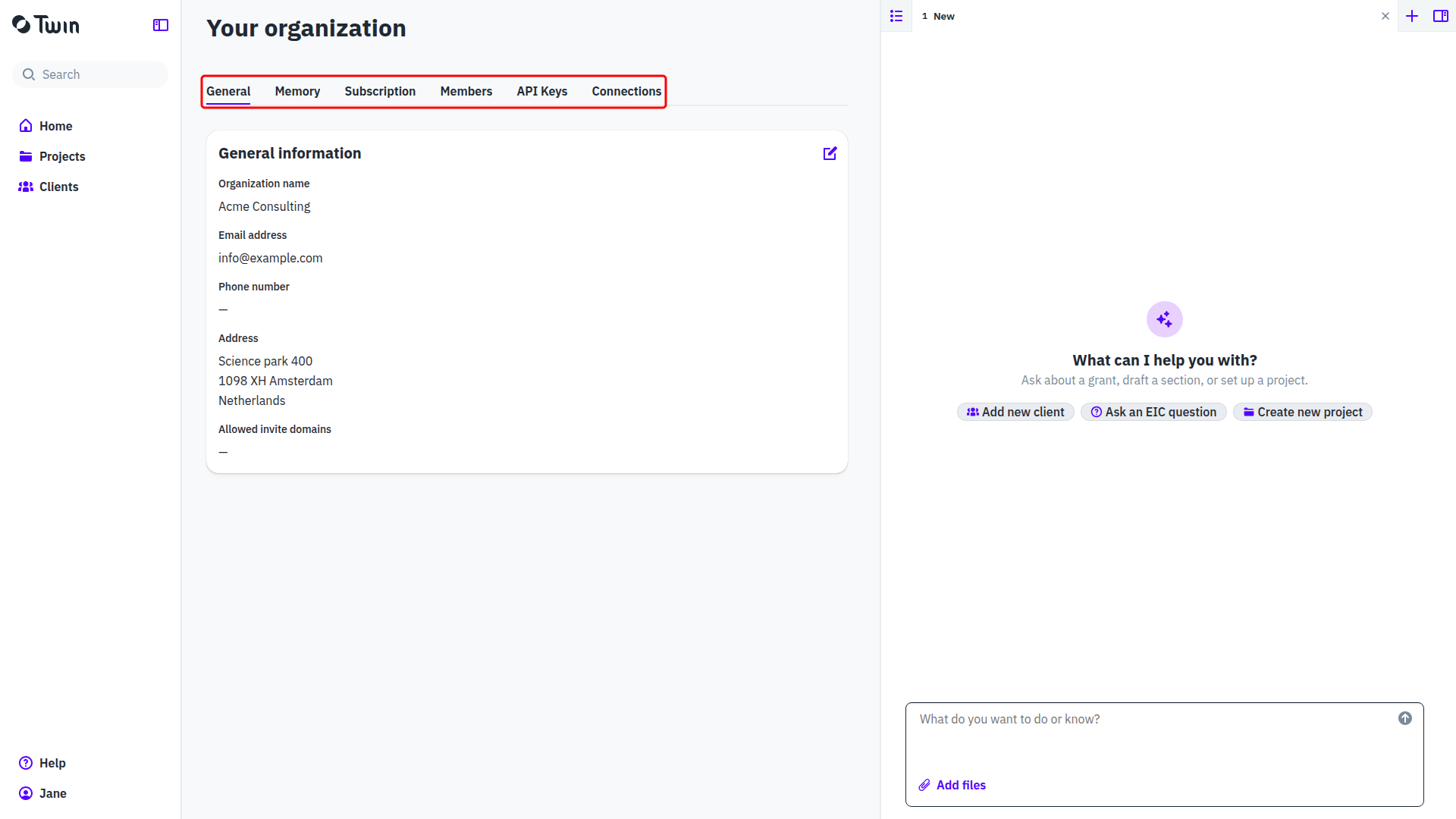
Only an Organization Owner can open this page. If Organization is not in your menu, you do not have that role, and someone who does has to make the change for you. See Roles and working together.
Edit your organization details
- On the General tab, click the pencil icon in the top right of the General information card.
- Edit Organization name, Email address, Phone number, the address (Street address, Street address line 2 (optional), Zip or postal code, City, State or region (optional), Country) and Allowed invite domains.
- Click Save changes, or Cancel to drop the edits.
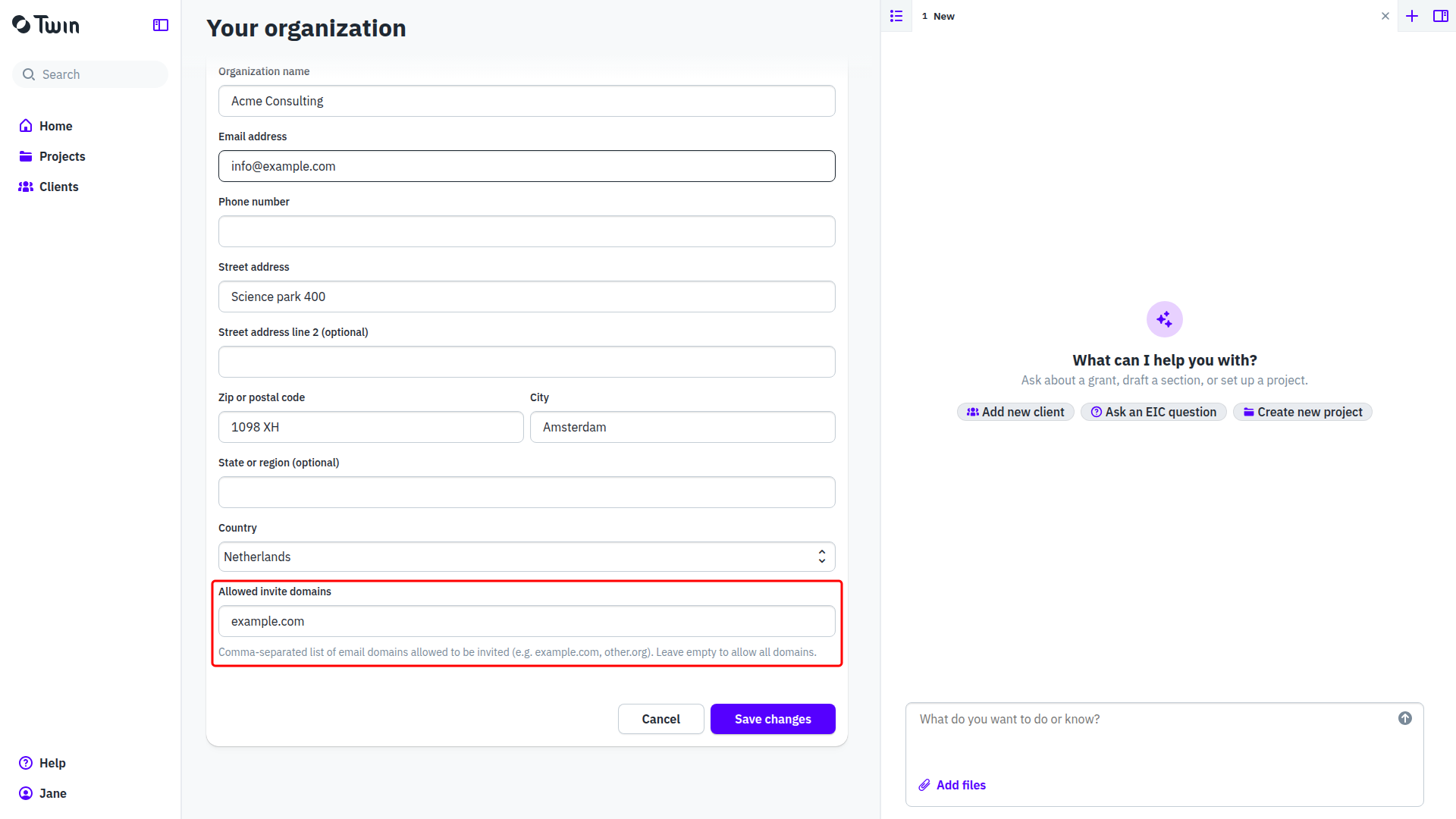
Allowed invite domains
Allowed invite domains decides which email addresses may be invited into your organization. The field says it in full: Comma-separated list of email domains allowed to be invited (e.g. example.com, other.org). Leave empty to allow all domains. List your own domains to keep invitations inside your firm, and leave it empty if you also work with people on other domains.
The other tabs
- Memory: what Twin has learned about your firm and applies to every project. See Memory: what Twin remembers.
- Subscription: your plan, payment method and invoices. See Payment methods and invoices.
- Members: who belongs to your organization, and with which roles. See Inviting and managing members.
- API Keys: the keys that let other software reach Twin. See Using the Twin API: organization and personal API keys.
- Connections: the accounts your organization has connected, such as Google. See Managing connections.