
WBSO follow-up application: continuing last year's project
Most WBSO applications continue a project that RVO granted before. RVO then expects the same project as last year: the same start date, the same project number, the same technical bottlenecks, and an Update project that tells what happened since. Twin works that way as soon as you say the document is a follow-up. It carries the previous application forward and adds the progress; it does not rewrite the application. There are two starting points: last year's application as a file, or last year's Twin document.
What Twin needs from you
- Last year's application: the granted project form, or the text that was submitted. The decision on the previous application including the S&O declaration is welcome too, because it carries the project number.
- A status note: per technical bottleneck what was achieved and what was measured, what changed in the set-up and the technical reason for it, what remains for the new period, plus the hours for the new period and the cost option (flat rate or actual costs).
Twin does not fill the gap between those two. When the note is silent on something, the assistant asks you instead of inventing it.
What Twin does with a follow-up
A multi-year project that changes in substance is a new project to RVO, and it is assessed again from scratch. Twin therefore keeps the application itself as it was and puts the year's story in the update:
- Start date and project number come from the previous application, not from the new year.
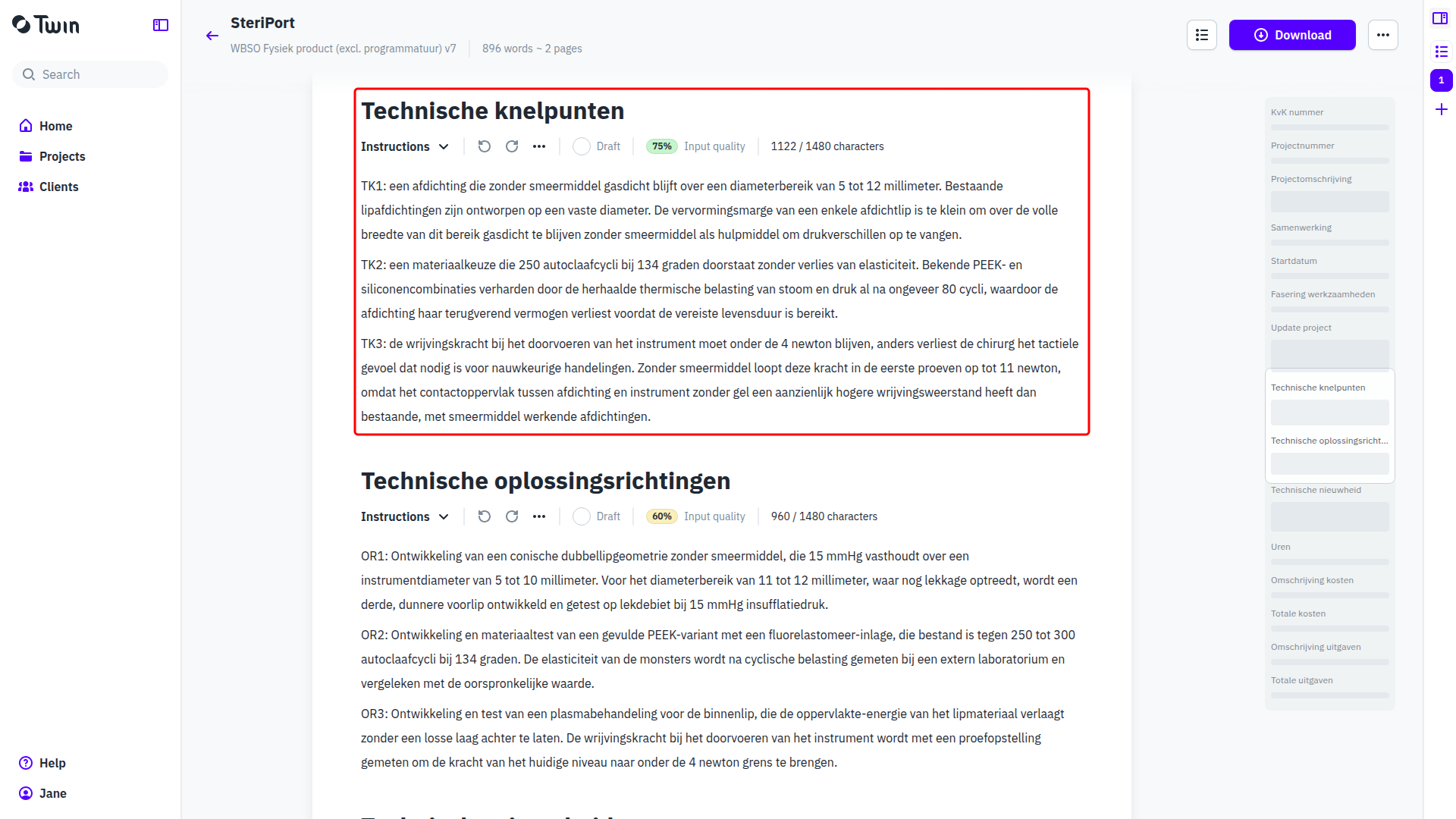
- Technische knelpunten, Oplossingsrichtingen and Technische nieuwheid stay as they were in the previous application. A bottleneck keeps its number, including a bottleneck that is now solved.
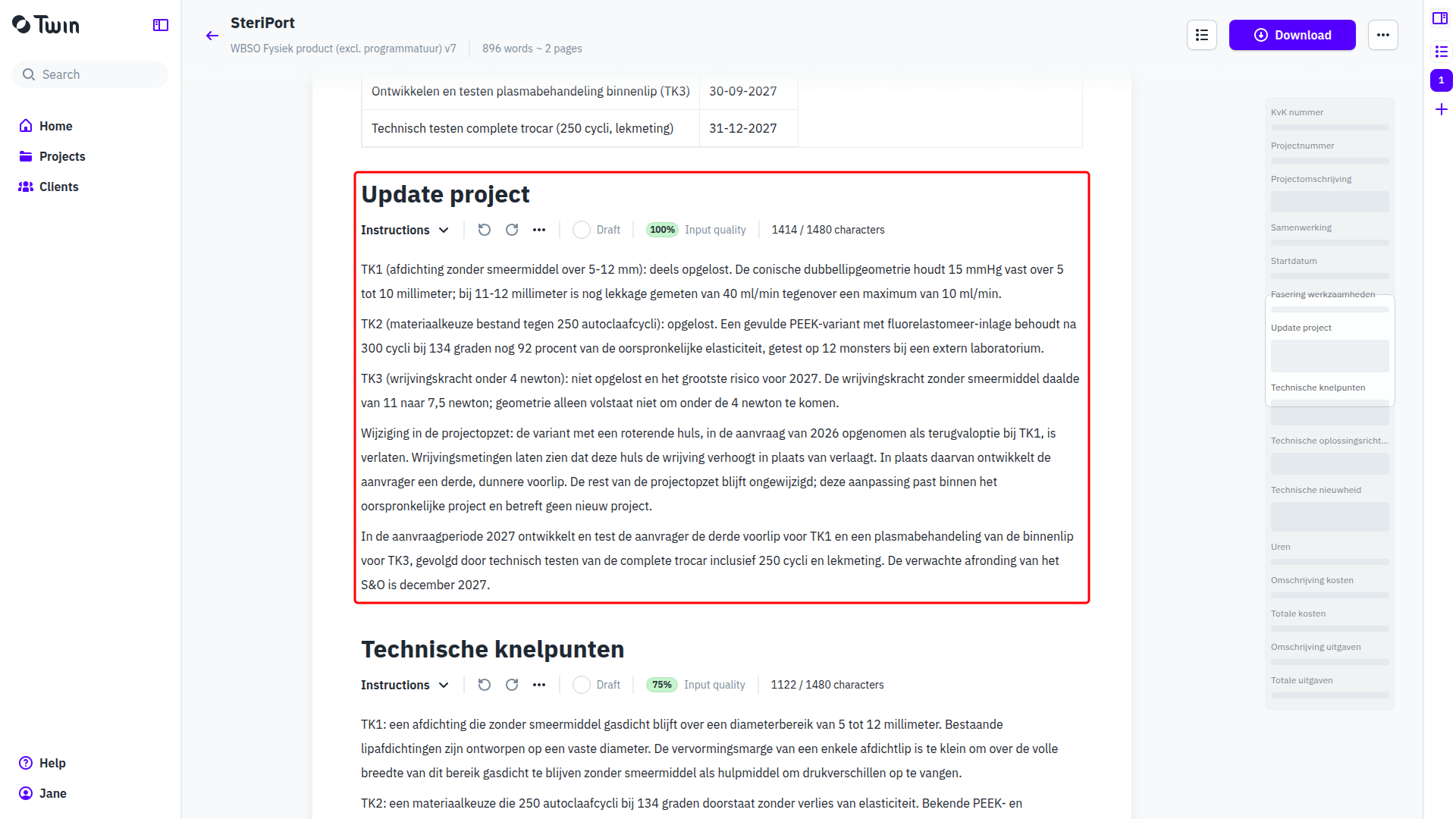
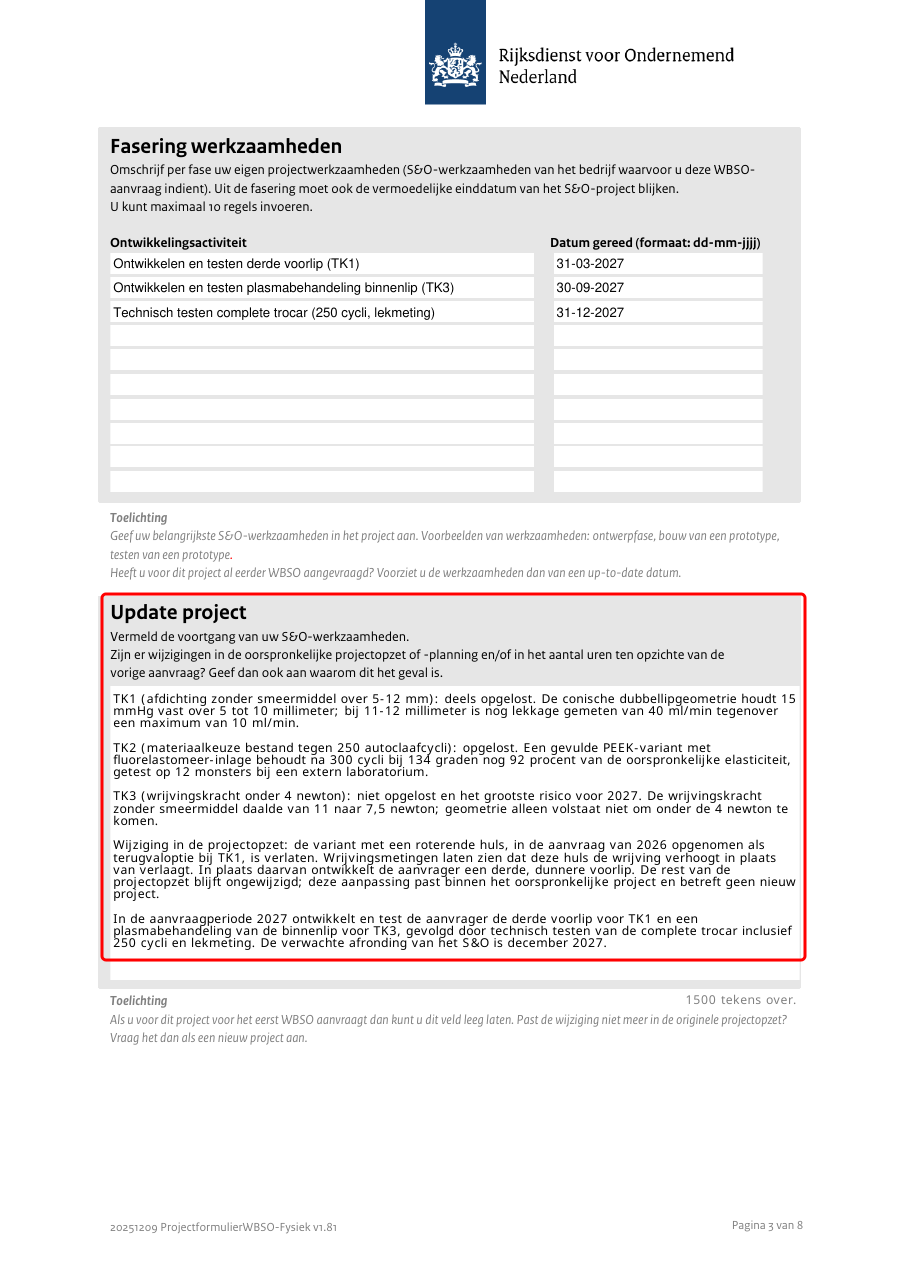
- Update project carries the progress, one paragraph per TK number: what was achieved, what was measured, and what changed in the approach with the technical reason.
- A new bottleneck gets the next free number, so TK4 after TK1 to TK3, and it appears in both Technische knelpunten and Update project.
- Fasering werkzaamheden only carries dates in the new application period, in the notation dd-mm-jjjj.
When the assistant sees a reason to change the application text, it does not change it. It says in the chat what it would change and why, and you decide. It rewrites a section only when a source asks for it, and it says so when a change no longer fits the original project, because that is a new project rather than a follow-up.
Starting from last year's application file
- Go to Projects and click New project. On the Grant step pick the client, or type a new name and choose Create client. Pick the document type that matches last year's RVO form, for example WBSO Fysiek product (excl. programmatuur), and click Continue.
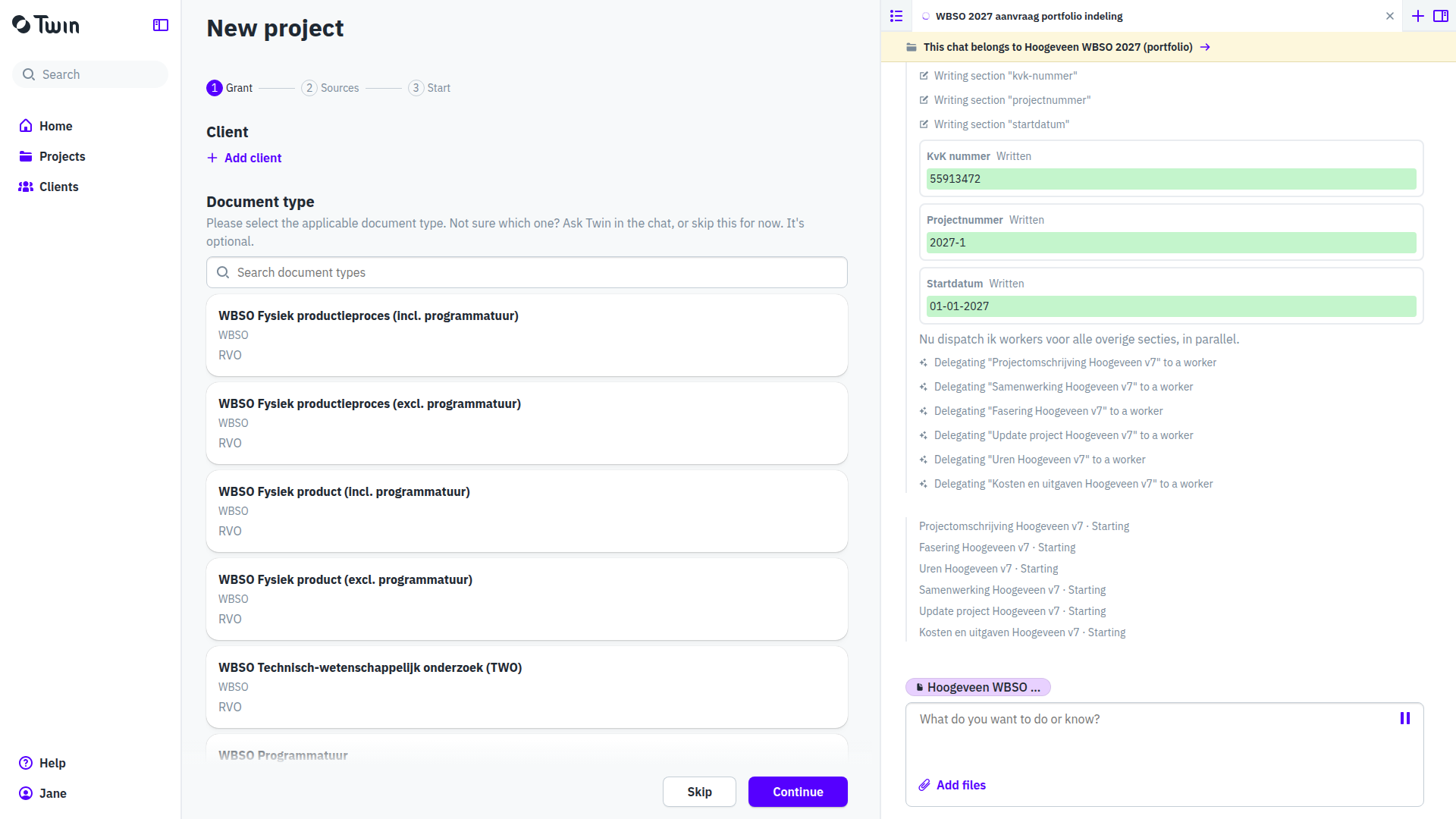
- On the Sources step drop last year's application file and click Continue. On the Start step choose Open the project.
- Click the project title to rename it. The wizard names the project after the client and the year, so give it the name you use in your own dossier, such as SteriPort WBSO 2027 (vervolgaanvraag).
- In the Files section click Add and choose New note. Give the note a title, paste the status note and save. Both sources now sit next to each other.

- Click Add again, choose New document and pick the WBSO type. The document opens with its empty sections.
- In the assistant panel start a New chat and say that this is a follow-up. One sentence is enough:
Dit is een vervolgaanvraag voor aanvraagjaar 2027 op het bestaande project SteriPort. Gebruik de toegekende aanvraag van 2026 en de stand van zaken als bron en schrijf de volledige aanvraag.
If the chat says it is not connected to the project, click Connect first. - The assistant reads both sources and comes back with a plan summary before it writes anything. The summary names the follow-up: the start date and project number of the previous application stay, the bottlenecks keep their numbers, and the progress goes into Update project. Anything the assistant would change in the application text is listed here as a proposal, with its reason.

- Open Plan on the project page, click Approve on the plan page, then confirm in the chat. The sections are written in parallel; a complete follow-up takes about ten minutes.

What the document holds
- Startdatum is the original start date of the project, not 1 January of the new year. Fasering werkzaamheden only carries dates in the new application period, in the notation dd-mm-jjjj.
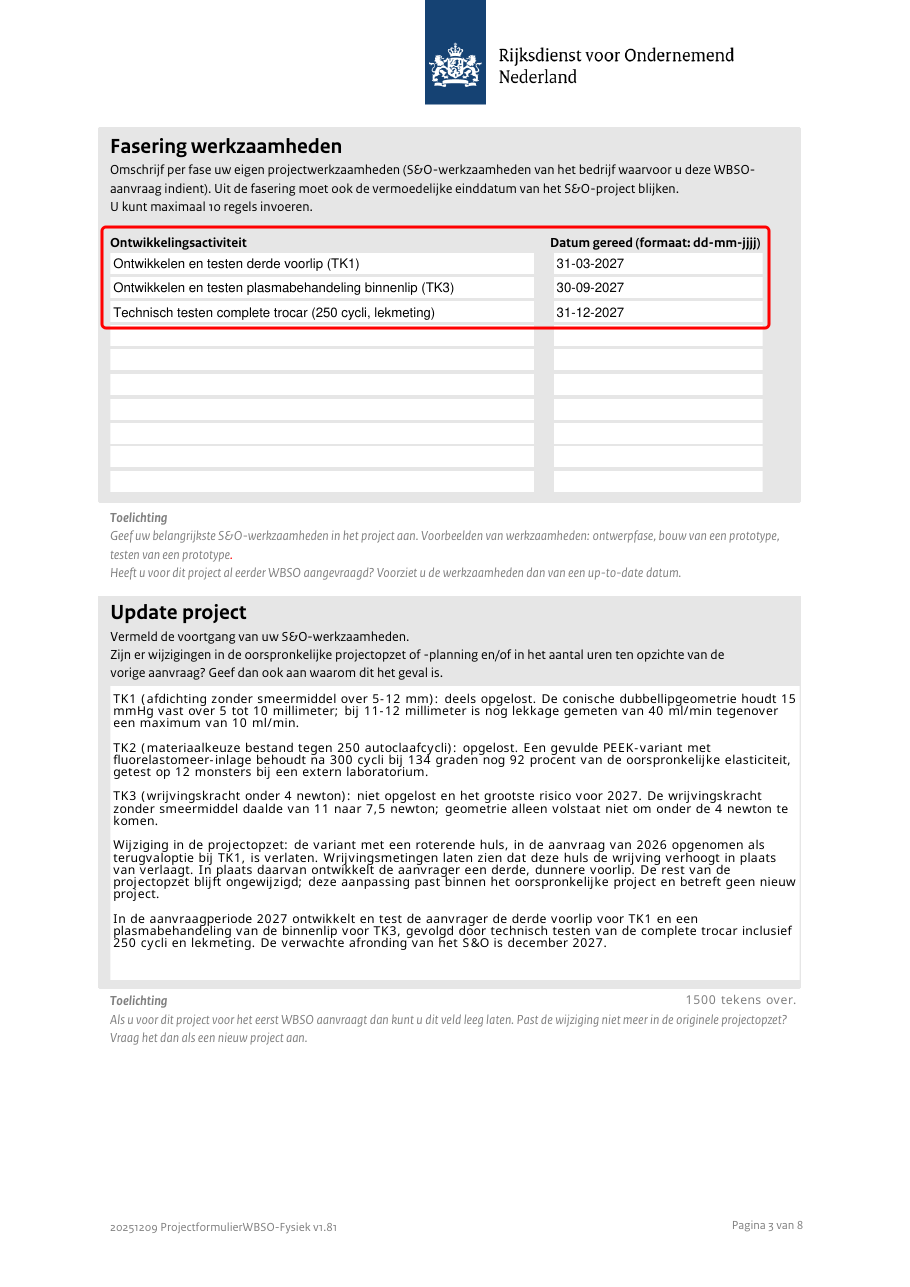
- Update project tells the story since last year per TK number: the progress with the measured results, the changes in the set-up with their technical reason, and the work that remains.
- Technische knelpunten holds the same bottlenecks as the previous application, under the same numbers. A bottleneck that the status note reports as solved keeps its number and its text here; that it is solved is stated in Update project.
- Uren is the number of S&O hours for the new period, written as a plain number.
Download the RVO project form
Click Download in the document header and choose Latest version. Twin produces the filled RVO project form as PDF and the same text as a Word file.

In the PDF, Start project carries the original date, Samenwerking is Nee when there are no partners, the milestone table holds the new period and Update project is filled.

Starting from last year's Twin document
If last year's application was written in Twin, the document is already in the project. Leave it there; you do not need to export it and upload it again.
- Open the project that holds last year's application.
- Click Add in the Files section, choose New note and paste the status note.
- Click Add again, choose New document and pick this year's WBSO type. Last year's document keeps its own version of the document type; the new one uses the current instructions.
- In the chat, say it is the follow-up and point at the existing document and the note:
Dit is de vervolgaanvraag 2027 op het project in dit Twin-project. Gebruik het bestaande 2026-document in dit project en de statusnotitie als bron. Schrijf de volledige aanvraag.
The assistant opens last year's document and reads its sections one by one before it plans.

The result is the same as with a file: the original start date and project number stay, the bottlenecks keep their text and their numbers, and the progress lands in Update project.
Because the project plan was approved for last year's document, the plan page will not ask you to approve again. The extended plan is in the chat, and you confirm there.
Good to know
- Every proposal the assistant makes about the application text stays a proposal until you answer it in the chat. Nothing in Technische knelpunten, Oplossingsrichtingen or Technische nieuwheid changes on the assistant's own initiative.
- When a change no longer fits the original project set-up, the assistant says so explicitly, because RVO treats that as a new project.
- If the granted project number is not in your sources, the assistant derives one and asks you to confirm it against the decision on the previous application.
- A document keeps the writing instructions of the moment you create it. Documents you started before the update of 18 September 2026 still follow the 2026 instructions; create a new document for a 2027 application, also when the follow-up sits in the same project as last year's document.
See also Writing WBSO applications in Twin, WBSO with several projects: one document per RVO form and Answering RVO's questions letter as a note in Twin.